airCloud Select · Design system · B2B software
A shared design system for airCloud Select
Different teams, different patterns. I led the move to one shared system.
At a glance
System at a glance
airCloud Select was one of Hitachi Cooling & Heating’s B2B software products. It relied on an Adobe XD style guide rather than a shared working system that could evolve with the product.
When the team migrated from XD to Figma, I saw an opportunity to do more than recreate the existing files in a new tool. I proposed and led the initiative to build a reusable, token-based design system, from auditing and prioritising existing patterns through component architecture, stakeholder alignment and documentation.
- 10+component families
- 50+variants
- 3cross-functional workshops
- 3-tiertoken architecture
- Role
- Lead Product Designer
- Responsibilities
- Design system strategy · Component architecture · Stakeholder alignment · Documentation
- Worked with
- Product · Engineering · Brand · Marketing
- Tools
- Figma · Figma Variables
01 / The problem
A static style guide wasn't enough to support a growing product ecosystem
The issue wasn’t a lack of design guidance. It was that the guidance wasn’t connected to how products were being designed and built.
Handoff friction. Without shared component definitions and usage guidance, UI decisions often needed extra clarification between Design and Engineering.
Product drift. Similar components and patterns were evolving differently across products, making consistency harder to maintain over time.
Limited shared ownership. Design standards were largely maintained within Design, with limited involvement from the wider teams responsible for building and evolving the products.
As the product portfolio grew, these gaps increased repeated decision-making, made consistency harder to maintain, and created more work across Design and Engineering.
02 / The approach
Auditing first, prioritising with intent
I inherited airCloud Select from a previous contractor, along with an Adobe XD style guide that documented visual styles but offered little guidance on how components should be used. As the organisation migrated to Figma, I was designing new screens while auditing the existing product and rebuilding its reusable foundations in the new tool, alongside my other product responsibilities, with limited dedicated time and engineering capacity.
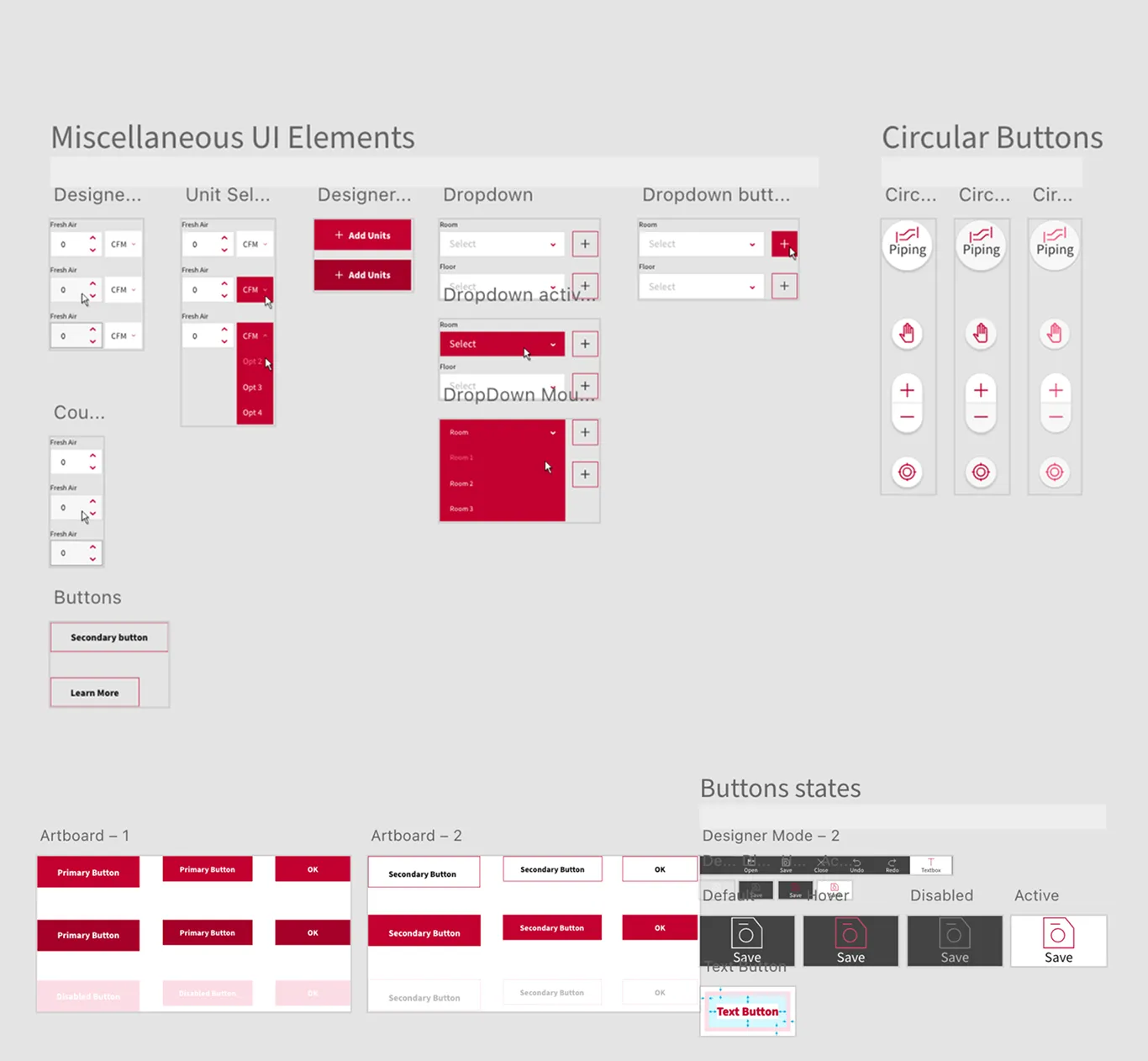
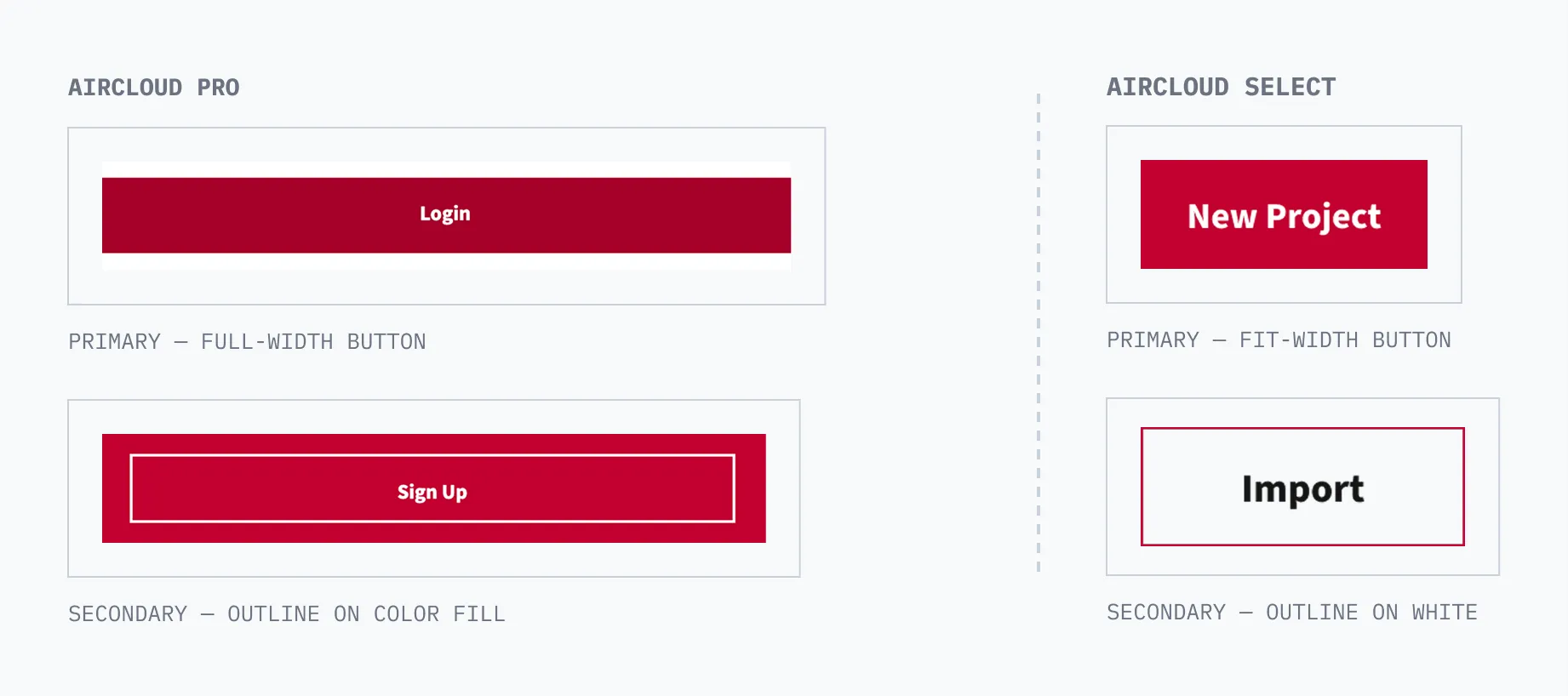
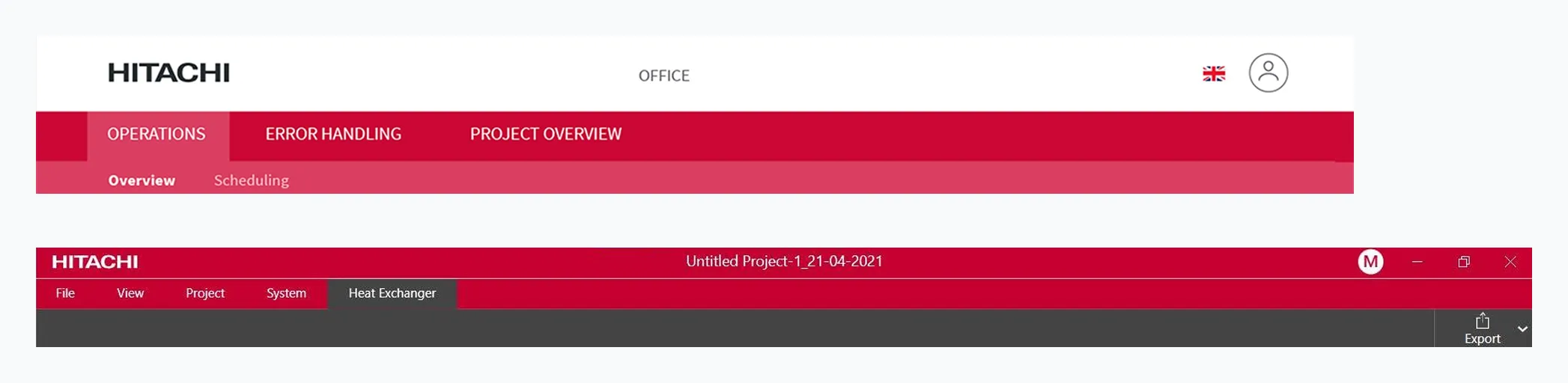
I reviewed airCloud Select and related products to see how common components and patterns were actually being used, which surfaced duplicated patterns, inconsistent states and gaps in guidance.
Rather than standardising everything I found, I scoped the first version around three criteria:
- Frequency. Patterns that appeared repeatedly across screens and products.
- Reuse. Patterns that could support multiple workflows, not just one.
- Ambiguity. Patterns where inconsistent states or missing guidance created the most room for interpretation.
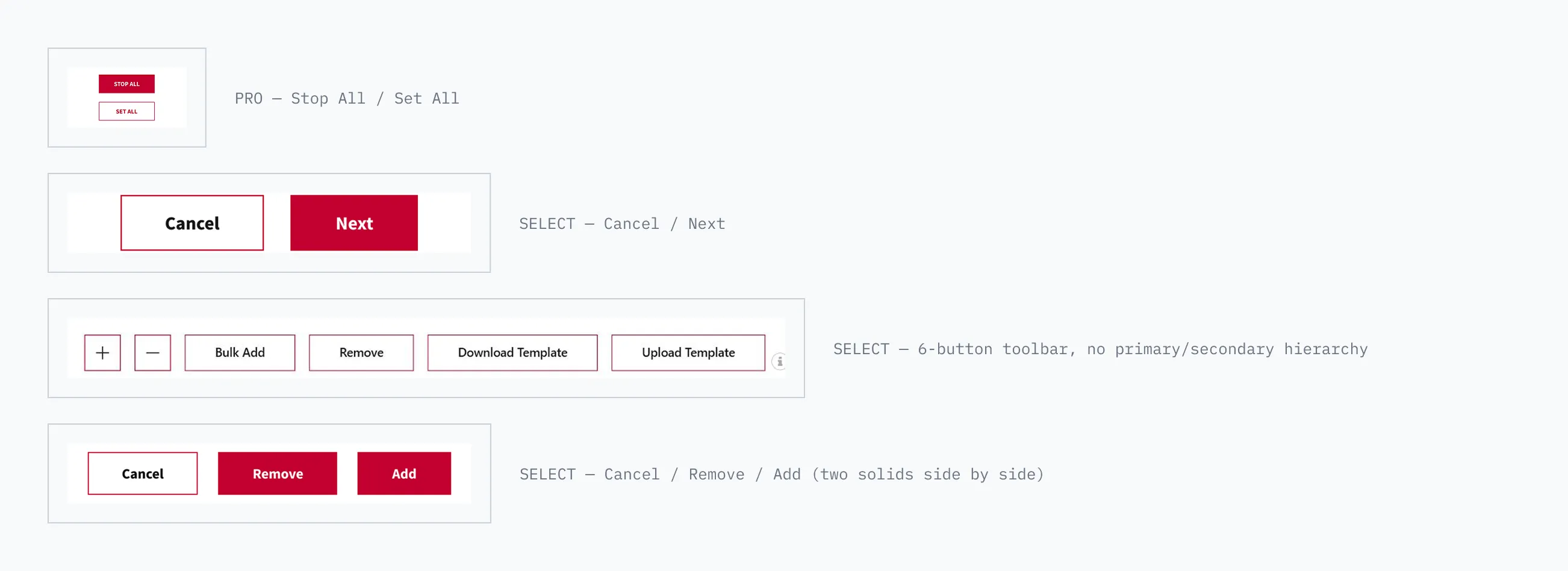
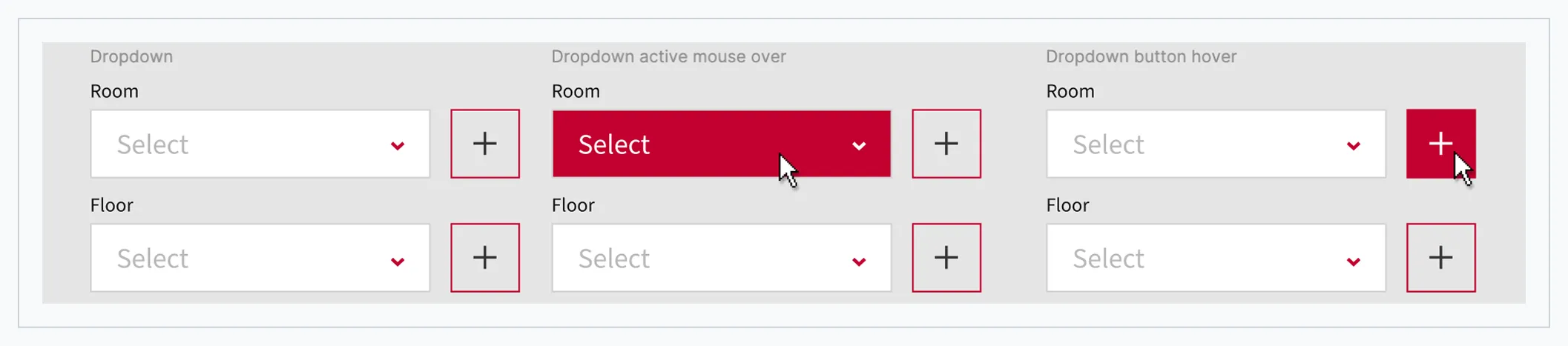
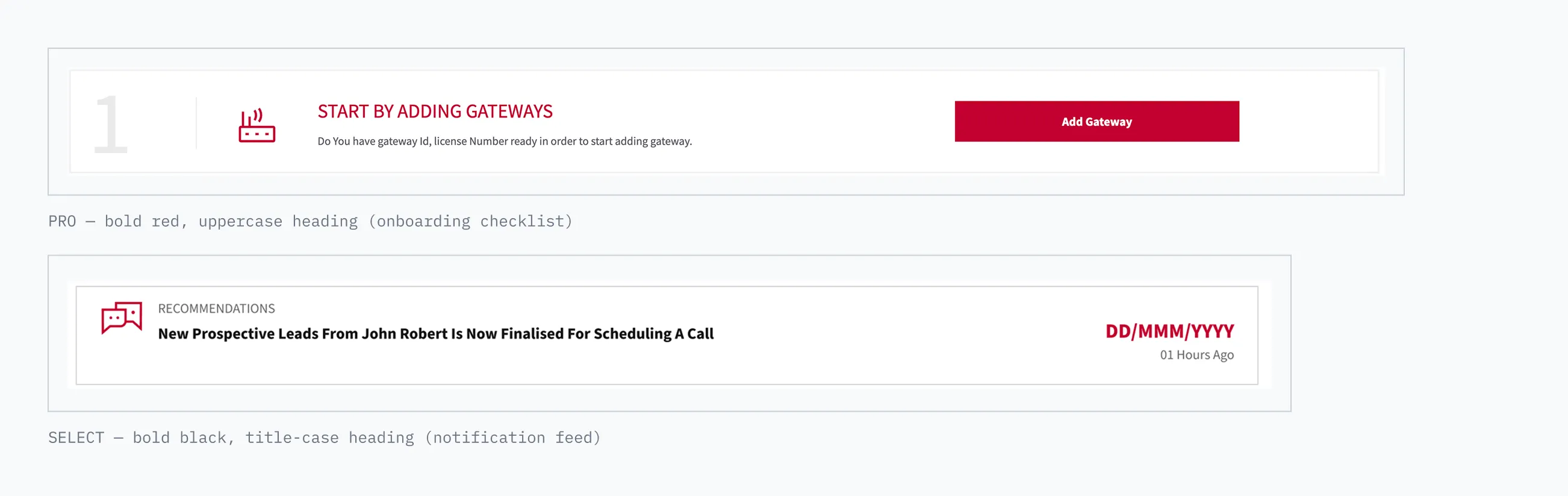
Across the two products, the audit examples below show four button treatments with no shared hierarchy, one naming inconsistency and one heading-style mismatch.
03 / The system
From static styles to a system the team could use
The XD style guide relied on static values, so I introduced a simple three-layer token structure in Figma (primitive, semantic and component), giving the team one place to manage design decisions while keeping components flexible as the system evolved.
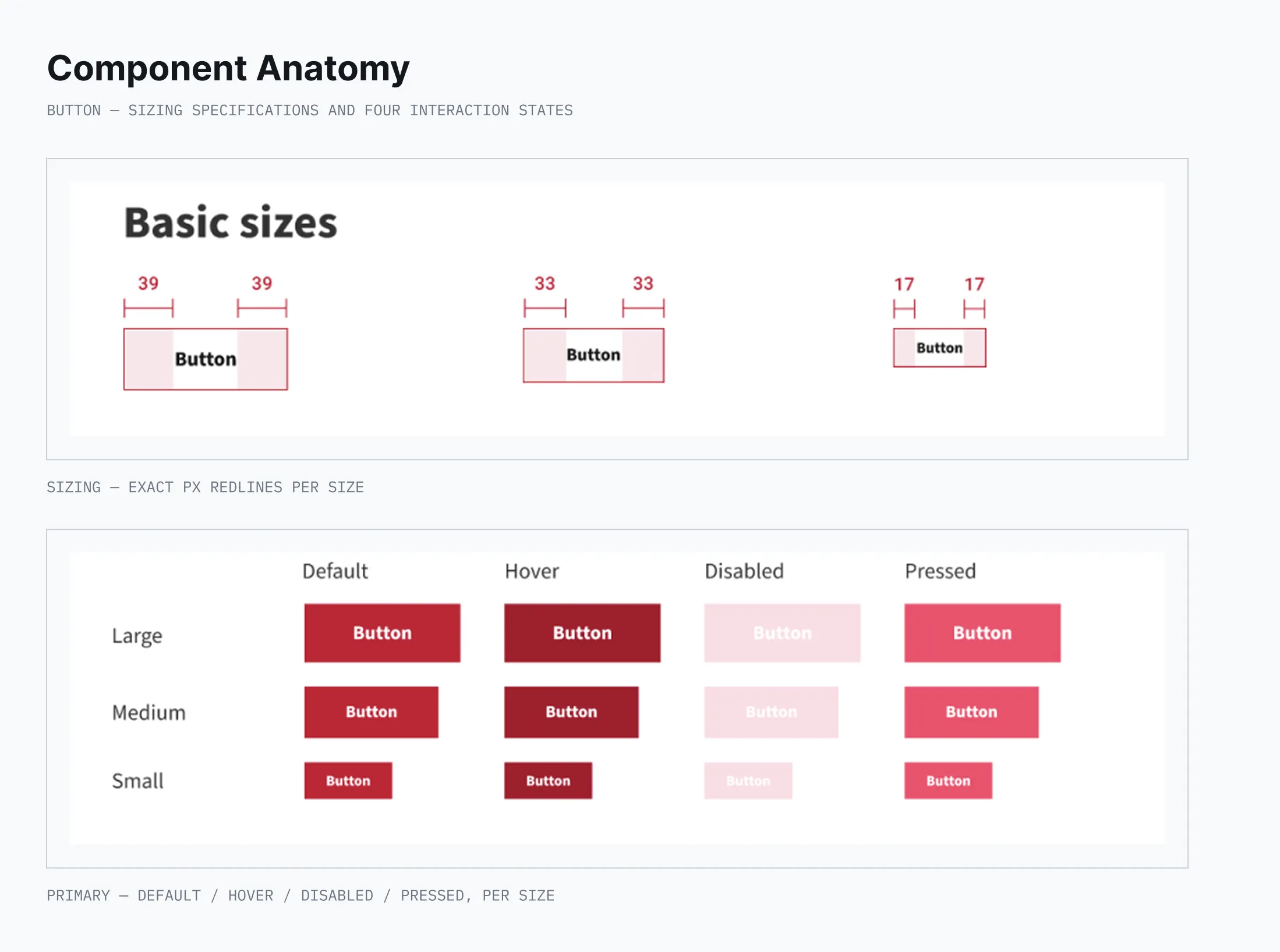
On top of that structure, I turned the audited patterns into reusable Figma components, covering common states, sizes and variations rather than just the default UI, along with usage guidance for when and how each component should be used. This moved the system beyond a visual library into something the team could use consistently in day-to-day product work.
Primitive
Raw, context-free values
color-blue-500spacing-16radius-8type-size-14
maps to
Semantic
Values mapped to a role or intent
action-primarysurface-defaulttext-primary
maps to
Component
Applied to a specific UI element
button-primary-bgcard-padding
04 / Alignment
Turning a design initiative into shared ownership
Once the initial system was tangible enough to discuss, I used it as the basis for workshops with Product, Engineering, Brand and Marketing.
The design system could not scale if it remained owned only by Design. Across three workshops, I aligned the different functions on where consistency mattered, what needed to stay flexible, and how the system should evolve. These sessions helped turn the work into a shared initiative and build support for further investment and closer engineering involvement.
05 / Impact
Building a foundation the organisation kept investing in
A clearer shared foundation.
The system gave designers a reusable reference for common patterns and reduced reliance on static guidelines.
Engineering-ready documentation.
Components, states and sizing were specified down to the pixel, giving engineering a clear, detailed reference to build from.
Continued investment.
The initial system helped build stakeholder support for further development, including a leadership commitment to additional engineering resourcing and a roadmap for the next phase.
Before handing over, I documented the system, aligned the team on priorities, and set a roadmap for Phase 2 and Phase 3: deeper engineering integration, wider adoption and clearer governance. Not everything was solved; shared ownership and decision rights still need to mature. But the foundation and stakeholder support were in place for the system to keep evolving without me.
Now
Delivered
Core system
- Documentation and usage guidance
- Pixel-level specifications
Next
Roadmapped
Engineering integration
- Deeper engineering partnership
- Wider adoption across teams
Later
Roadmapped
Governance
- Clear decision rights
- Broader coverage
Reflection: what I’d change next time
- Involve Engineering earlier, so design and code components evolve together from the start.
- Define adoption measures earlier (component usage, system coverage) to track value beyond the initial rollout.
- Establish clearer ownership and governance earlier, so future decisions depend less on individual designers.